Hello, this is SM Instruments.
First of all, I'd like to thank everyone who bought the BATCAM 2S ultrasound camera.
Here are the changes and updates to the latest firmware upgrade for version 3.0.7 (Update Release: March 13, 2026)
<3.0.7 Changes due to Firmware Update>
New Features
Improvements
<Preparements>
- Need a large USB storage device (more than 500MB of space required, no format required)
- Download software (approximately 330MB)
- Update time is about 10 to 15 minutes.
<How to Firmware update>
1. Click the 'Download Link' button to download the software installation file. (Both files are identical.)
< Download - NAS> < Download - Google Drive >


2. Use the USB cable provided in the product package to connect the product to the PC.
Copy the downloaded firmware file to the "UPDATE" folder in the added external storage device.(Example: My PC > SMI-BATCAMv2S > BATCAMV2S_UPDATE)
Please download the folder file named BATCAMV2S_UPDATE.
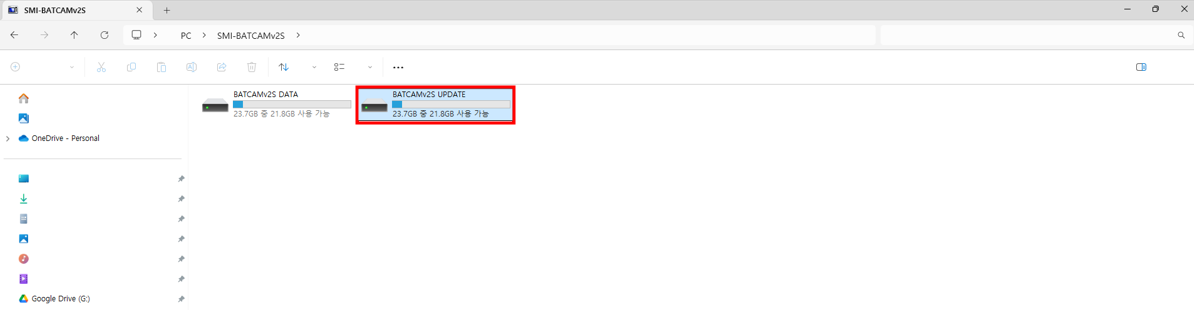
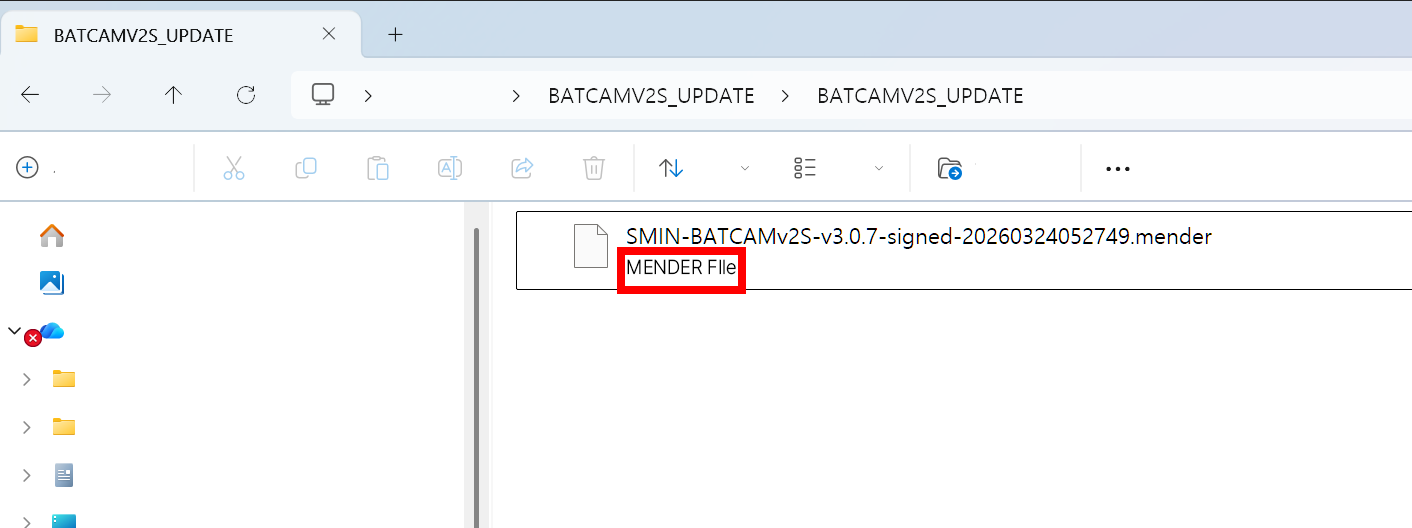
The downloaded update file name is as follows, and it must end with file extension: .mender.
3. Once the firmware file has been copied, disconnect the USB cable from the PC.
4. After disconnecting from the PC, the firmware update will start within the product. If the added firmware version is the same or lower than the version installed on the product, the firmware update will not proceed even if it has been disconnected.
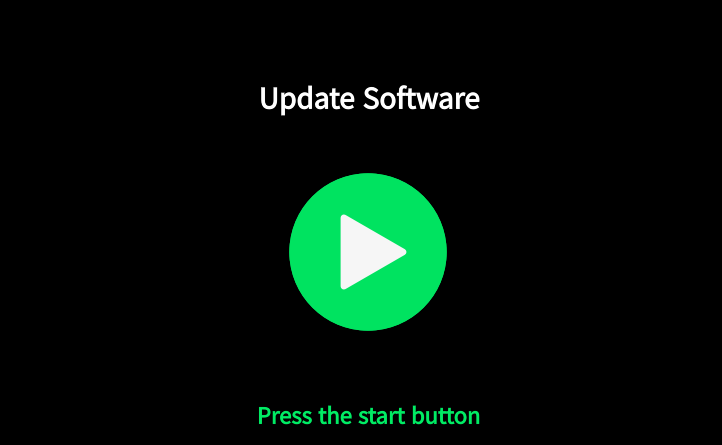
5. When starting the firmware update, a license agreement screen will appear. If you do not agree to the license, you can exit the update process.
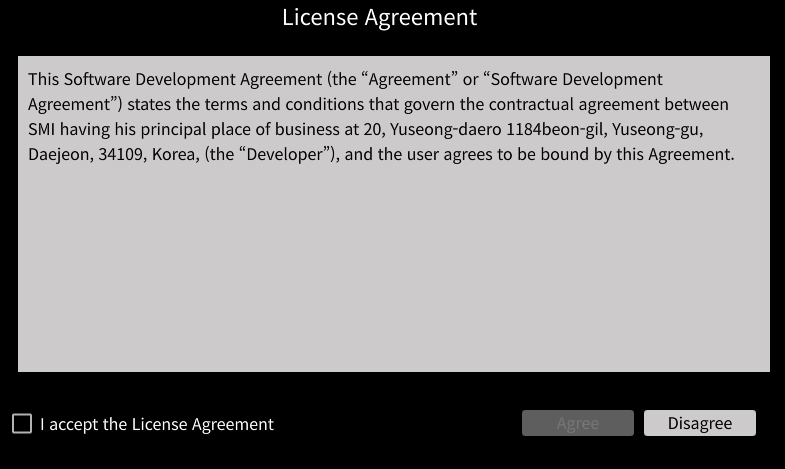
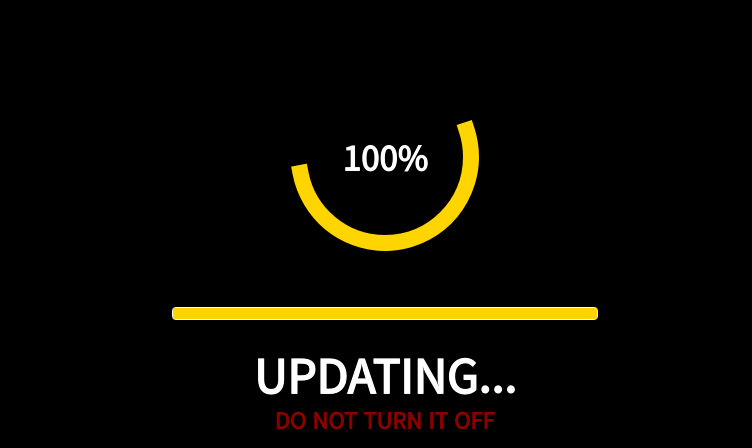
6. Here is the screen of the BATCAM 2S during the update process.
Note - even if the firmware update progress reaches 100%, the update may still be ongoing. Please re-frain from any actions until a message confirms that the firmware update is fully completed.
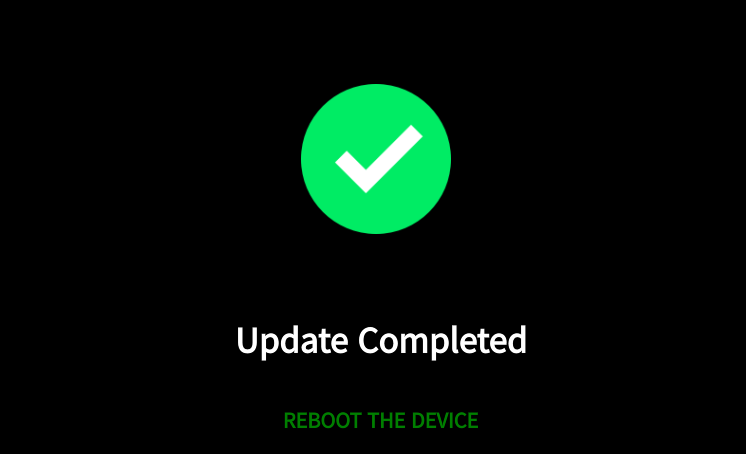
7.Once the update completes successfully, restart the product before use.
- Please download the file from the drive that suits each usage environment. (Both buttons are the same file)
- All rights reserved by SM Instruments Inc.



Hello, this is SM Instruments.
First of all, I'd like to thank everyone who bought the BATCAM 2S ultrasound camera.
Here are the changes and updates to the latest firmware upgrade for version 3.0.7 (Update Release: March 13, 2026)
<3.0.7 Changes due to Firmware Update>
New Features
Added ROI (Region of Interest) Function
Support for LEAK Measurement Presets
Improvements
Enhanced FFT Graph Interface
Improved Data Comparison and Analysis Accuracy
<Preparements>
- Need a large USB storage device (more than 500MB of space required, no format required)
- Download software (approximately 330MB)
- Update time is about 10 to 15 minutes.
<How to Firmware update>
1. Click the 'Download Link' button to download the software installation file. (Both files are identical.)
< Download - NAS> < Download - Google Drive >


2. Use the USB cable provided in the product package to connect the product to the PC.
Copy the downloaded firmware file to the "UPDATE" folder in the added external storage device.(Example: My PC > SMI-BATCAMv2S > BATCAMV2S_UPDATE)
Please download the folder file named BATCAMV2S_UPDATE.

The downloaded update file name is as follows, and it must end with file extension: .mender.
3. Once the firmware file has been copied, disconnect the USB cable from the PC.
4. After disconnecting from the PC, the firmware update will start within the product. If the added firmware version is the same or lower than the version installed on the product, the firmware update will not proceed even if it has been disconnected.
5. When starting the firmware update, a license agreement screen will appear. If you do not agree to the license, you can exit the update process.
6. Here is the screen of the BATCAM 2S during the update process.
Note - even if the firmware update progress reaches 100%, the update may still be ongoing. Please re-frain from any actions until a message confirms that the firmware update is fully completed.
7.Once the update completes successfully, restart the product before use.