Hello, this is SM Instruments.
Would like to announce the update details for our Windows-installable Report Generator software, previously provided through the BATCAMZONE website (www.batcamzone.com).
(Version 1.2.15 / Update Date: 2025-11-12)
If you require a previous version of the Report Generator, please contact us separately at sales@smins.co.kr.
< Changes in the Latest Update >
- BATCAM ZONE Report Cover Added.
- BATCAM ZONE Report Summary Added.
- Bug fixes and execution speed optimization.
< Report Generator Installation File >
Report Generator is still available via the website by navigating to [BATCAM ZONE Website → Report Page].
Please install this file only if you require offline usage without an internet connection.
Please download the file from the drive link corresponding to your operating environment.
(Both download buttons provide the same file.)

Download - NAS

Donwloda - Google Drive
< How to Use the BATCAMZONE Program >
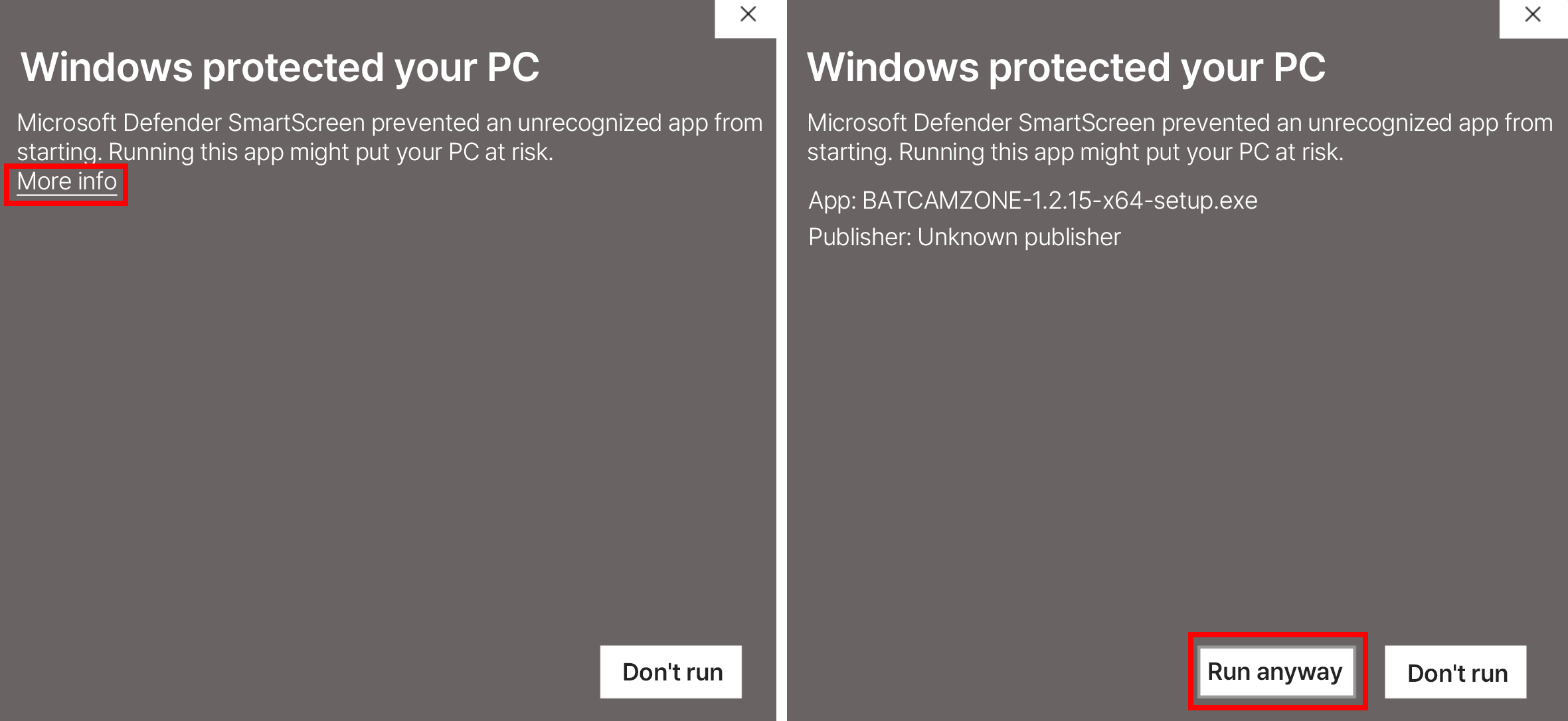
1. Unzip the downloaded file and run the installer. If a "Windows protected your PC" warning appears, click "More info" and then click the "Run anyway" button to proceed with the execution.
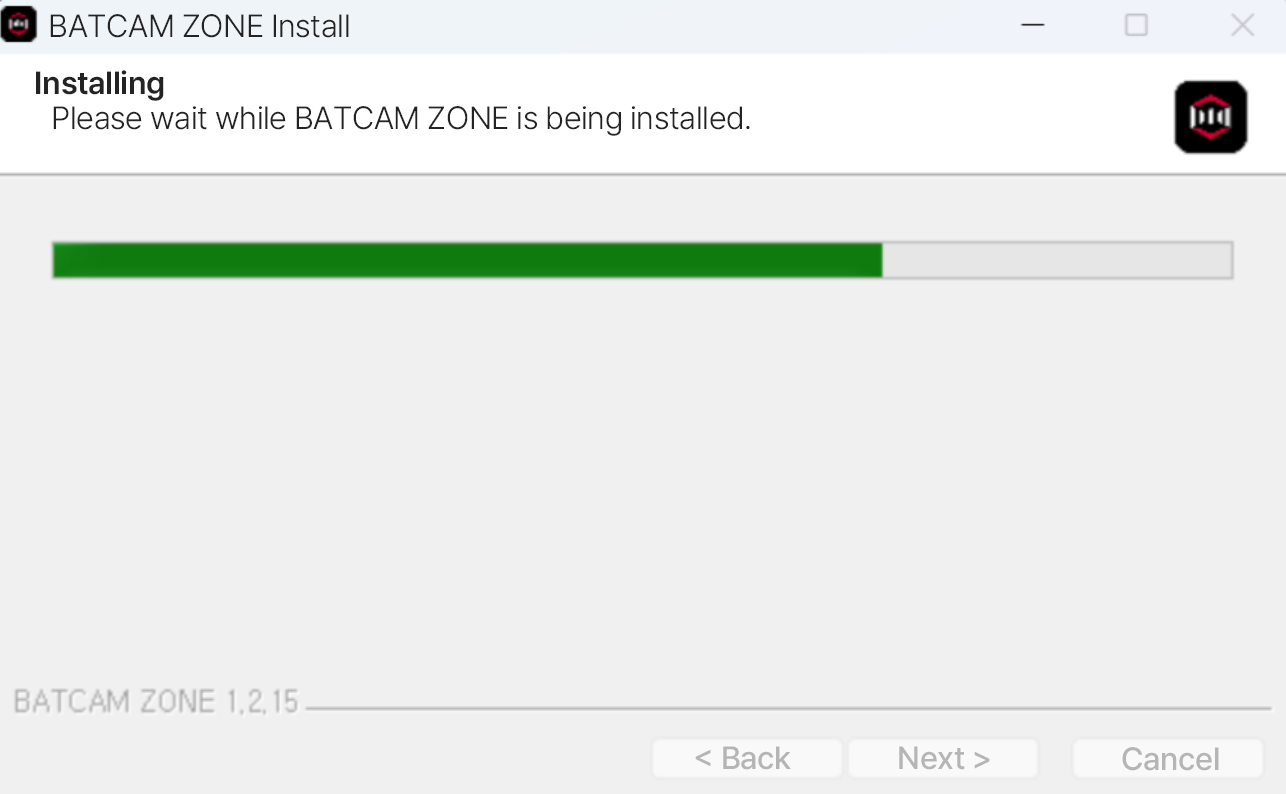
2. Install the program by following the on-screen prompts.
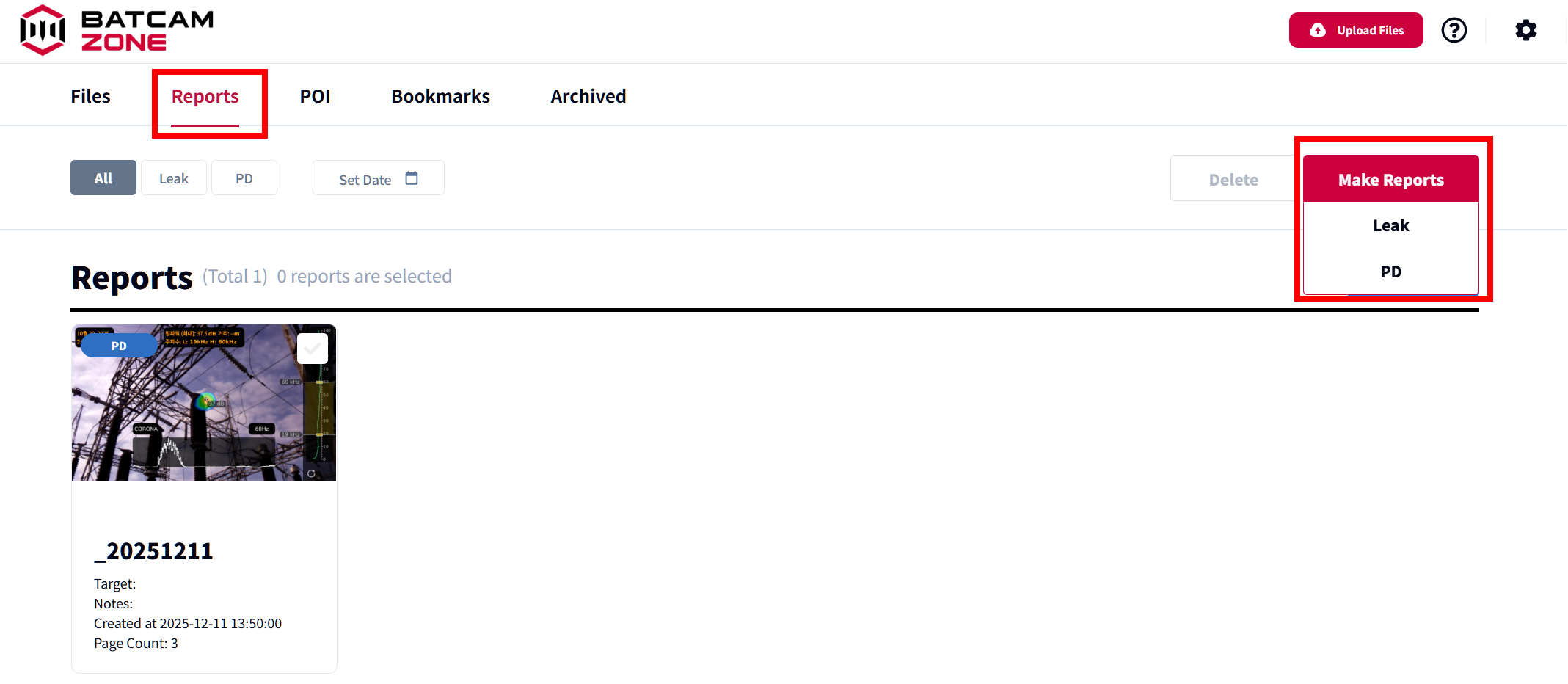
3. Access the Report Page and select the relevant items.
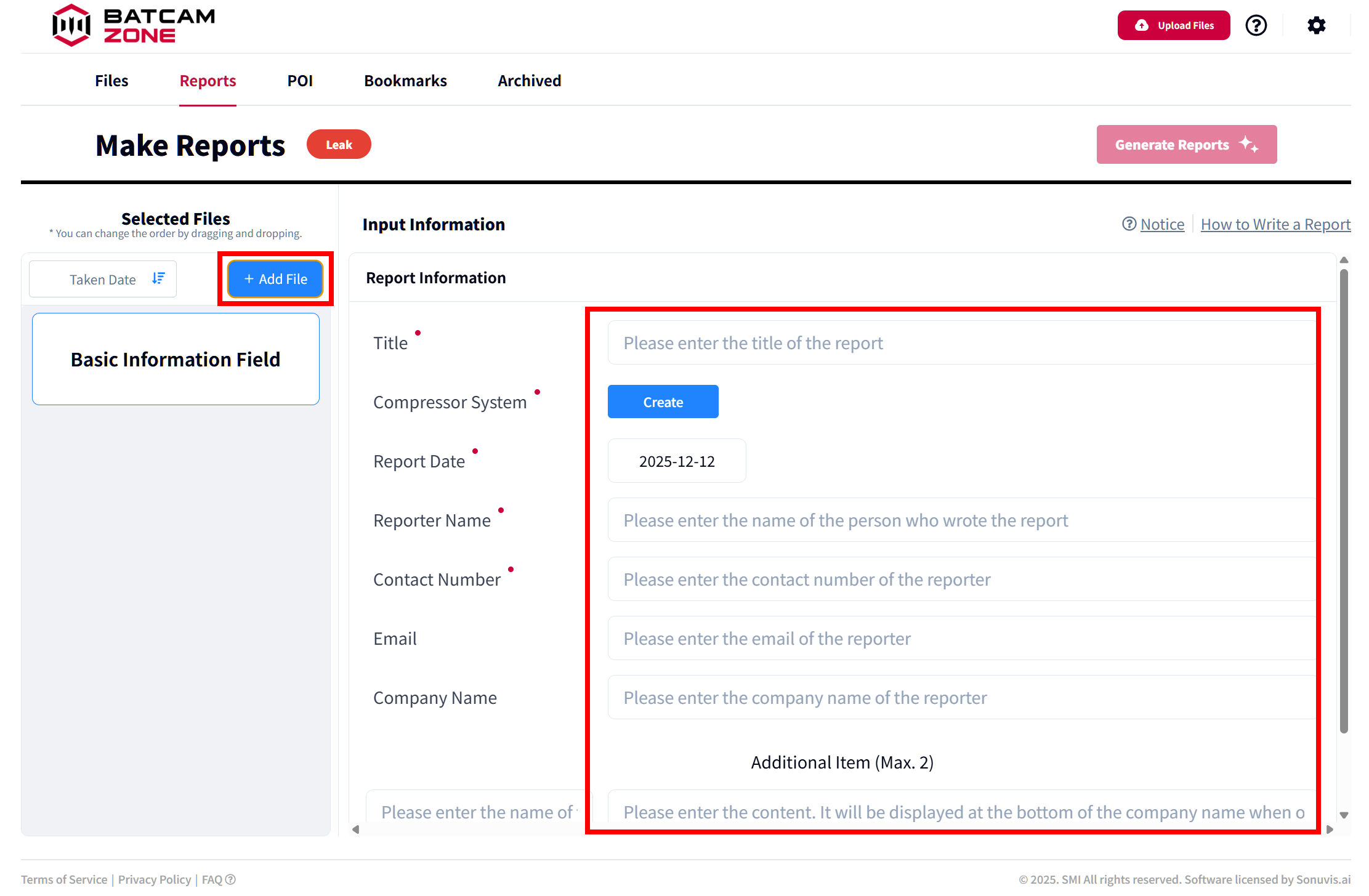
4. Upload the measurement photo file on the left side of the screen, and fill in the related information on the right side. The report will then be automatically generated by the program.
5. Once you have finished inputting the information, select the desired file extension, and click the 'Download' button to download the report.
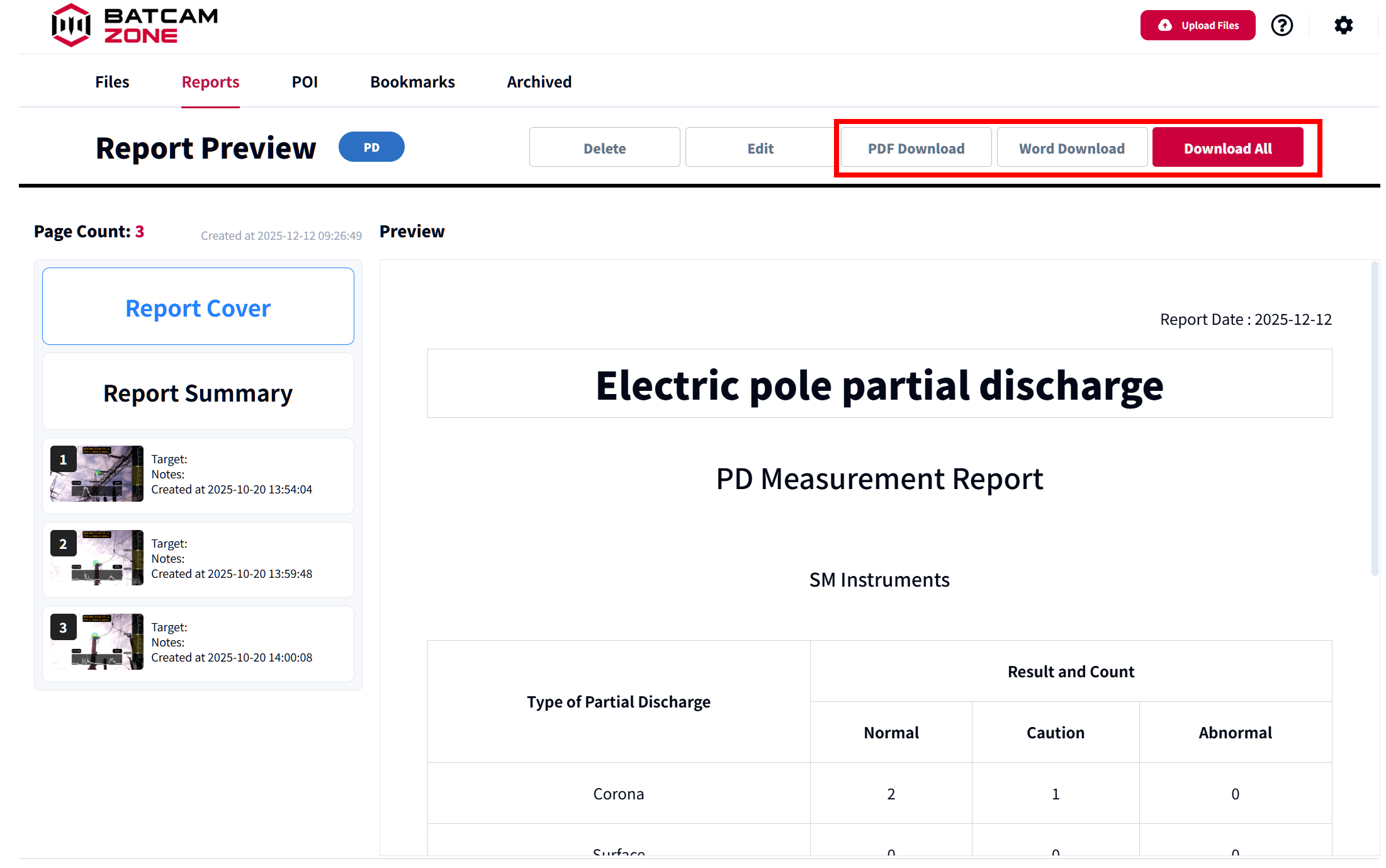
6. You can save and print the generated file for your use.
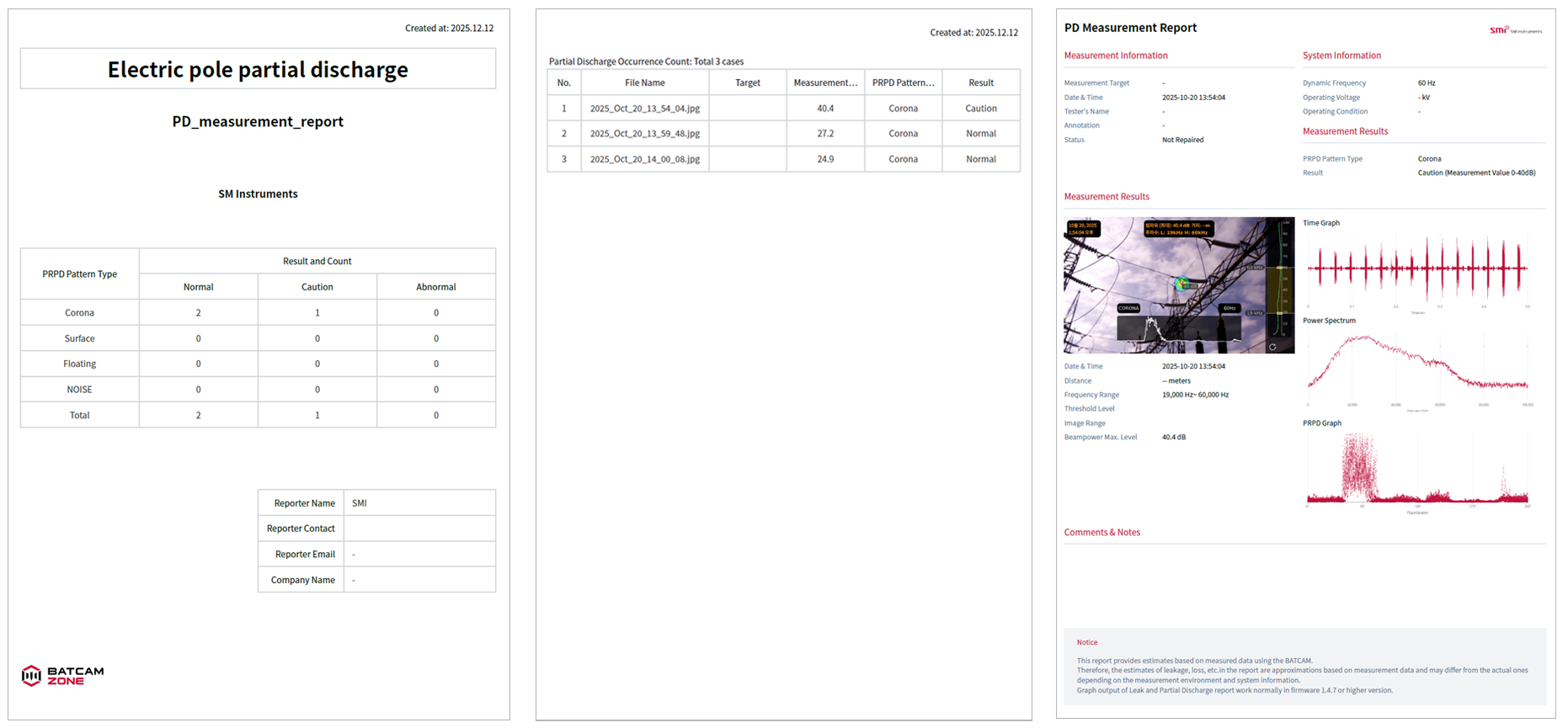
- You can check and download data by clicking the 'Download Link' button.
- All rights, including the copyright of this material, belong to SM Instruments Co., Ltd.
- If you have any further questions, please contact us at sales@smins.co.kr or by landline.



Hello, this is SM Instruments.
Would like to announce the update details for our Windows-installable Report Generator software, previously provided through the BATCAMZONE website (www.batcamzone.com).
(Version 1.2.15 / Update Date: 2025-11-12)
If you require a previous version of the Report Generator, please contact us separately at sales@smins.co.kr.
< Changes in the Latest Update >
- BATCAM ZONE Report Cover Added.
- BATCAM ZONE Report Summary Added.
- Bug fixes and execution speed optimization.
< Report Generator Installation File >
Report Generator is still available via the website by navigating to [BATCAM ZONE Website → Report Page].
Please install this file only if you require offline usage without an internet connection.
Please download the file from the drive link corresponding to your operating environment.
(Both download buttons provide the same file.)
Download - NAS
Donwloda - Google Drive
< How to Use the BATCAMZONE Program >
1. Unzip the downloaded file and run the installer. If a "Windows protected your PC" warning appears, click "More info" and then click the "Run anyway" button to proceed with the execution.

2. Install the program by following the on-screen prompts.

3. Access the Report Page and select the relevant items.
4. Upload the measurement photo file on the left side of the screen, and fill in the related information on the right side. The report will then be automatically generated by the program.
5. Once you have finished inputting the information, select the desired file extension, and click the 'Download' button to download the report.
6. You can save and print the generated file for your use.