Hello, this is SM Instruments.
We would like to inform you about the update of the Report Generator, which was previously provided through the homepage.
*(1.4.2 ver. / Update Date 2024-12-17)
*If you need an older version of the report generator, please contact us at sales@smins.kr.
< Changes Due to the Update >
- The issue with the date input during Word generation has been resolved.
< Report Generation Program Installation File>
- You can still generate reports directly on the website through the traditional method
[Homepage→Products & Solutions→Ultrasonic Camera→Report Page].
*For users who wish to use it without an internet connection, please install it.
- Please download the file from the appropriate drive for your operating environment.
(Both buttons download the same file.)

Download - NAS

Download - Google Drive
<How to use the report generation program>
1. Turn on the report generation page (or program) and accept the terms and conditions.
Select the gas leakage report generator / partial discharge report generator for the type.
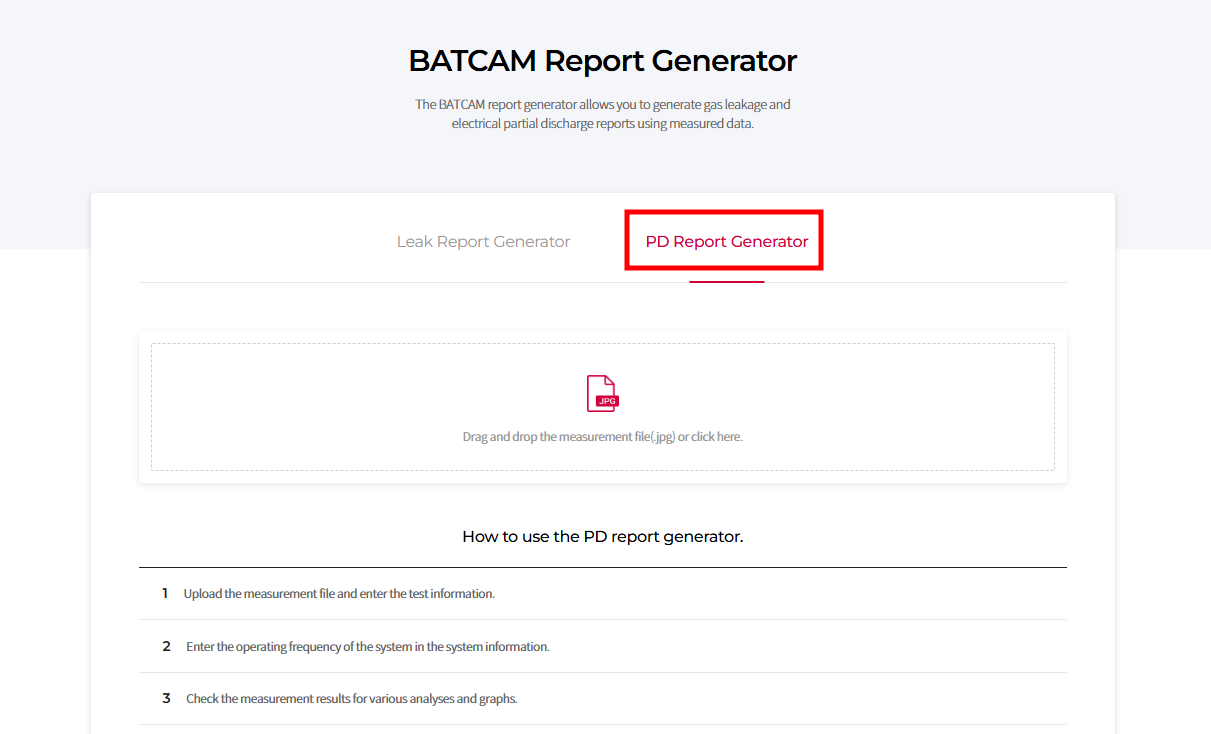
2. Open the file to create a report.
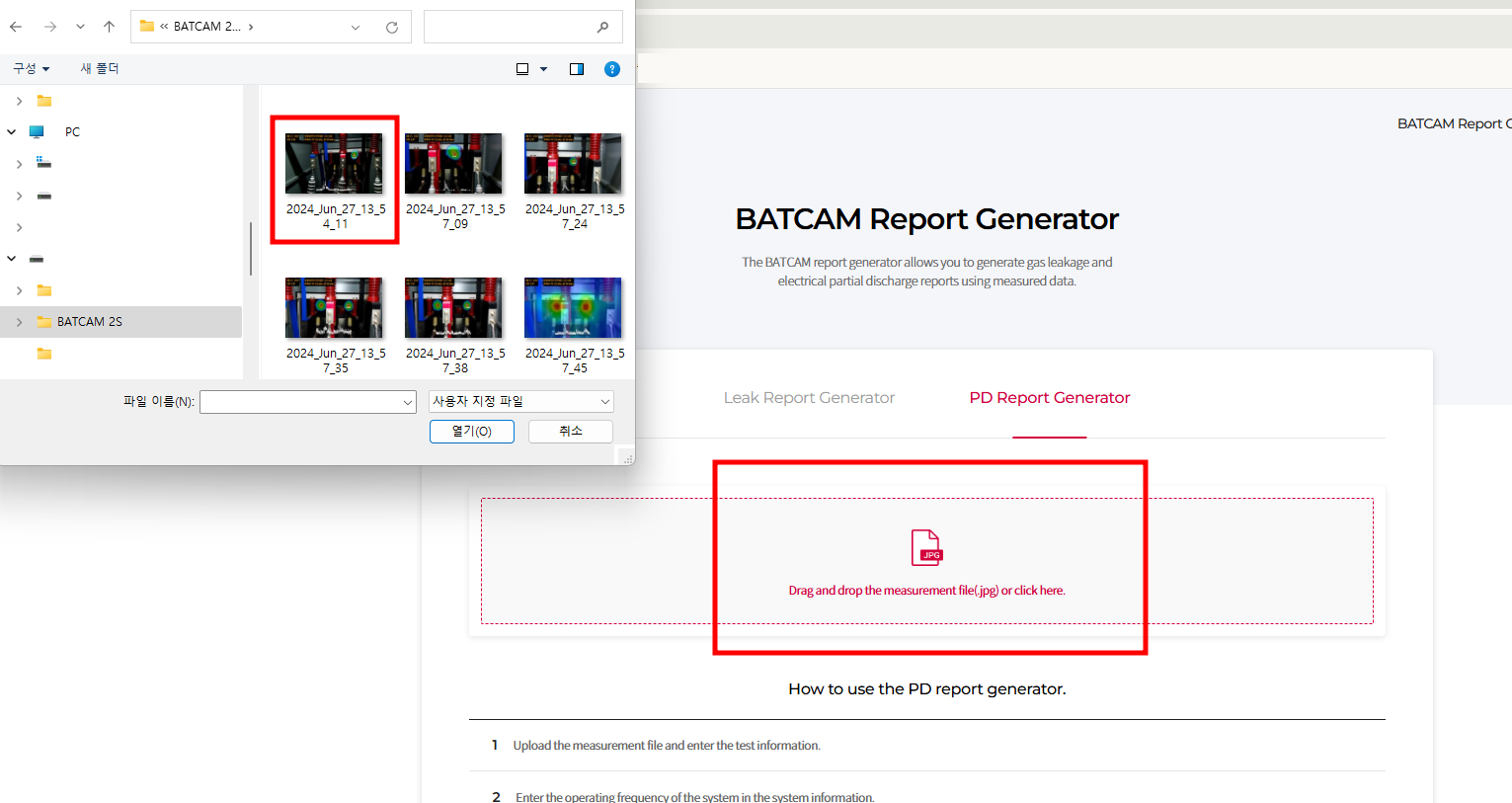
3. Please fill the test information and fill the test information.
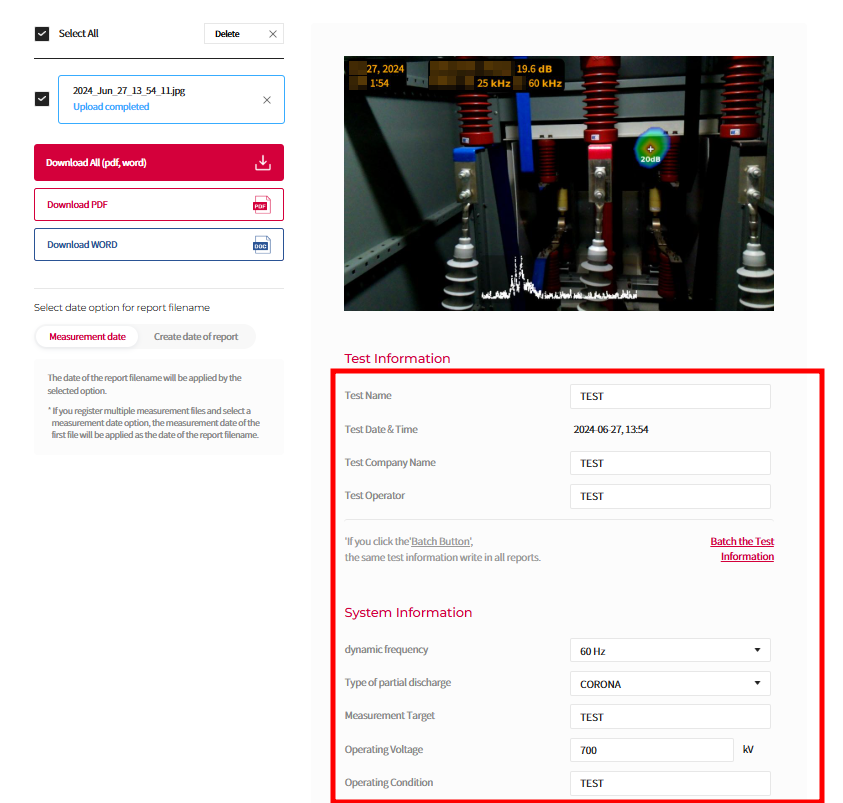
4. If you enter information, check box, press the download button to download the report to the desired file.
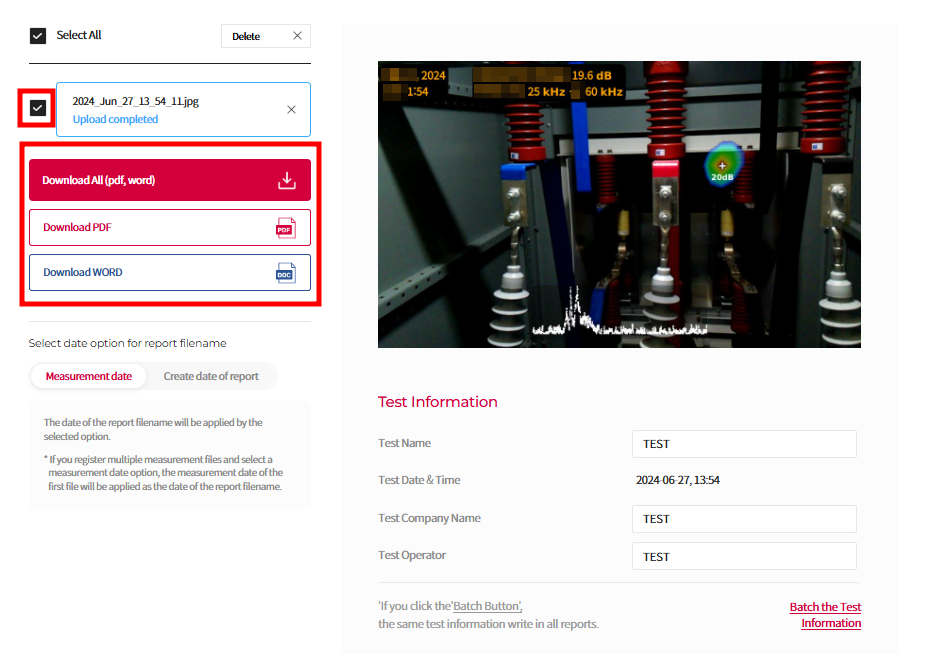
5. You can save and use files.
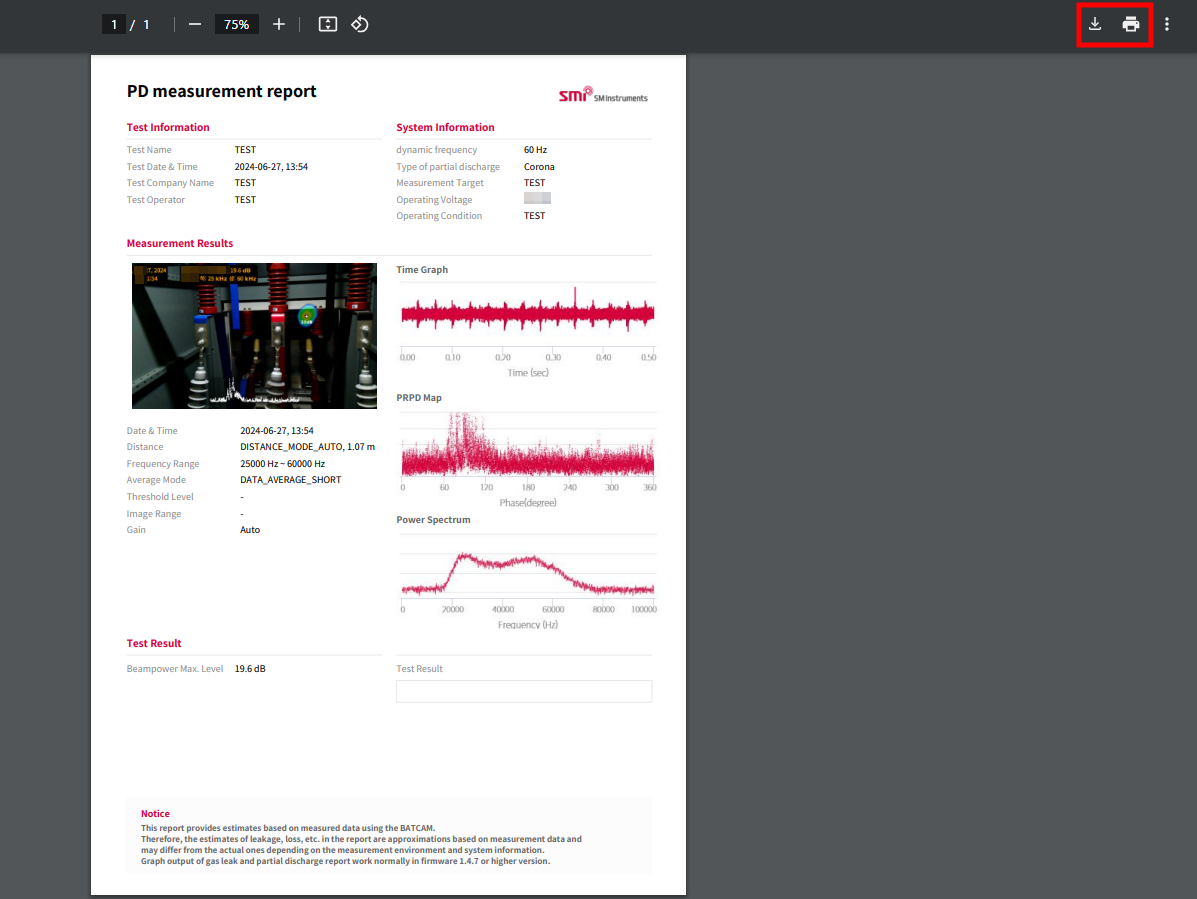
- You can check and download data by clicking the 'Download Link' button.
- All rights, including the copyright of this material, belong to SM Instruments Co., Ltd.
- If you have any further questions, please contact us at sales@smins.co.kr or by landline.



Hello, this is SM Instruments.
We would like to inform you about the update of the Report Generator, which was previously provided through the homepage.
*(1.4.2 ver. / Update Date 2024-12-17)
*If you need an older version of the report generator, please contact us at sales@smins.kr.
< Changes Due to the Update >
- The issue with the date input during Word generation has been resolved.
< Report Generation Program Installation File>
- You can still generate reports directly on the website through the traditional method
[Homepage→Products & Solutions→Ultrasonic Camera→Report Page].
*For users who wish to use it without an internet connection, please install it.
(Both buttons download the same file.)
Download - NAS
Download - Google Drive
<How to use the report generation program>
1. Turn on the report generation page (or program) and accept the terms and conditions.
Select the gas leakage report generator / partial discharge report generator for the type.
2. Open the file to create a report.
3. Please fill the test information and fill the test information.
4. If you enter information, check box, press the download button to download the report to the desired file.
5. You can save and use files.